AI ads manager — weekly ads check: pause, cut, hold and scale

Paste last week's Google Ads and Meta Ads Manager campaign exports.

AI ads manager — weekly ads check: pause, cut, hold and scale
Example of the result this page gives you

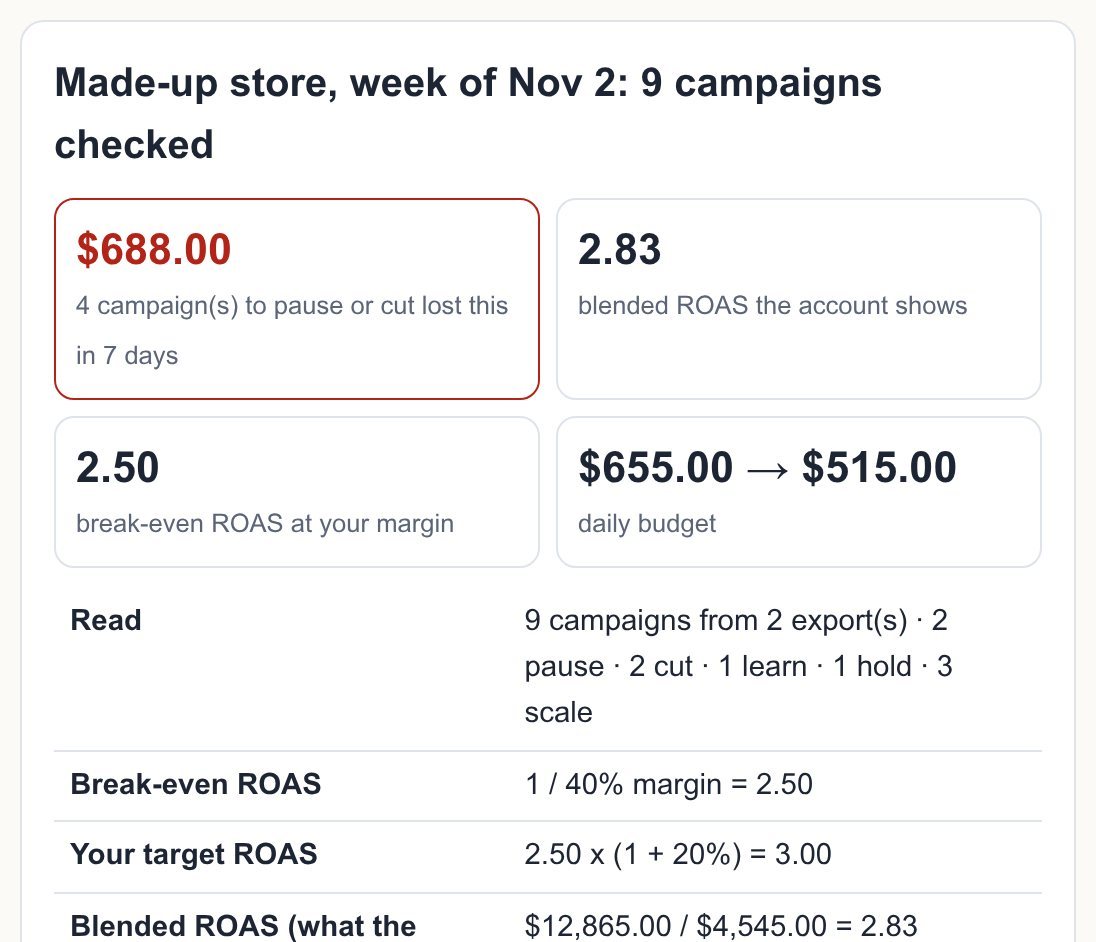
Example (made-up): one week of a small store's Google Ads and Meta Ads exports, 9 campaigns, $4,545.00 spent. The blended ROAS reads 2.83, above the 2.50 break-even at a 40% margin, so the account looks fine. 4 campaigns to pause or cut lost $688.00 in 7 days ($256.00 + $140.00 + $252.00 + $40.00), $2,987.89 over a month.

Try it freeFull version · $149 / year →

Selected: 1-year subscription — $149 for 12 months, paid up front.

Prefer to pay monthly? $19 / month

Renewal and cancellation: the 1-year subscription renews automatically every 12 months at $149 until you cancel. Cancel any time before the renewal date in your Whop account (Profile → Orders → Cancel membership); you keep access until the end of the year you paid for and are not charged again.

How it works
  1. Put your own numbers into the free version below — no sign-up.
  2. Your result shows up right here, as you type.
  3. Want to keep it, print it or do it again next time? That is what the full version adds — see "What you get".

Published 2026-11-10 · ReadyStack

Try it freeFull version →

Example (made-up): one week of a small store's Google Ads and Meta Ads exports, 9 campaigns, $4,545.00 spent. The blended ROAS reads 2.83, above the 2.50 break-even at a 40% margin, so the account looks fine. 4 campaigns to pause or cut lost $688.00 in 7 days ($256.00 + $140.00 + $252.00 + $40.00), $2,987.89 over a month. The check moves the daily budget from $655.00 to $515.00 and tells the AI ads manager which target ROAS to hold: 300%.

"The platform reports look great" is the problem. An account average hides the campaigns that lose money. Here every campaign gets one call, the new daily budget and the reason in a sentence, from your margin and your export. You see what to run before you hand the budget to an agent. Nothing to connect: paste the exports, nothing is uploaded.

1. Last week's campaign exports
2. Your numbers

· Your data stays in this browser (localStorage). No account, nothing connected.

Made-up store, week of Nov 2: 9 campaigns checked

$688.004 campaign(s) to pause or cut lost this in 7 days
2.83blended ROAS the account shows
2.50break-even ROAS at your margin
$655.00 → $515.00daily budget

What to run next week

CampaignCallROASGross profitDaily budgetWhy

Type into the AI ads manager

Pro: the same check every Monday, one place per ad account

Pro adds 7 things: saved weeks per ad account, a "since last week" list that marks every campaign whose ROAS dropped 20% or more, export file import (Google and Meta files merged), the decisions CSV, the weekly report to print or save as PDF, a Monday reminder (.ics) and backup. $19 per month. Get Pro · $19 / month or $149 per year

Have a key?

How this AI ads manager check decides

Break-even and target. Break-even ROAS is 1 divided by your gross margin: at 40% it is 2.50, because each $1 of sales leaves $0.40 to pay for $0.40 of ads. Your target adds a safety share on top: 2.50 × 1.20 = 3.00, which an AI ads manager or Smart Bidding takes as a 300% target ROAS.

The five calls. A campaign with no sale after twice your maximum cost per sale is paused. Under your conversion count it is "learn": budget kept, judged next week. Under 80% of break-even it is paused, under break-even it is cut by your budget step, between break-even and target it is held, and at or above target it is scaled by your budget step. Brand campaigns are flagged: people who search your name may buy without the ad.

Before you raise a budget. Google Ads Help, "About spending limits" (read 2026-11-10): "For most campaigns, the daily spending limit is your average daily budget multiplied by 2", and the monthly limit is 30.4 times the average daily budget. The check prints what the new Google budgets may cost on one day.

What it does not do. It does not log in to your ad accounts, change budgets for you or make ads. You make each change in Google Ads or Meta Ads Manager. The calls are rules applied to your own numbers, not a promise of sales.
This tool is 1 of 333 paid tools in English. All 333 with one key: Freelancer & Small Business Pass — $9.99/month · $79/year · Deadline reminders by email (free)

Email me this result
A copy of what you see above, in your inbox — the tool stays free, nothing here is locked.

More tools for the same work

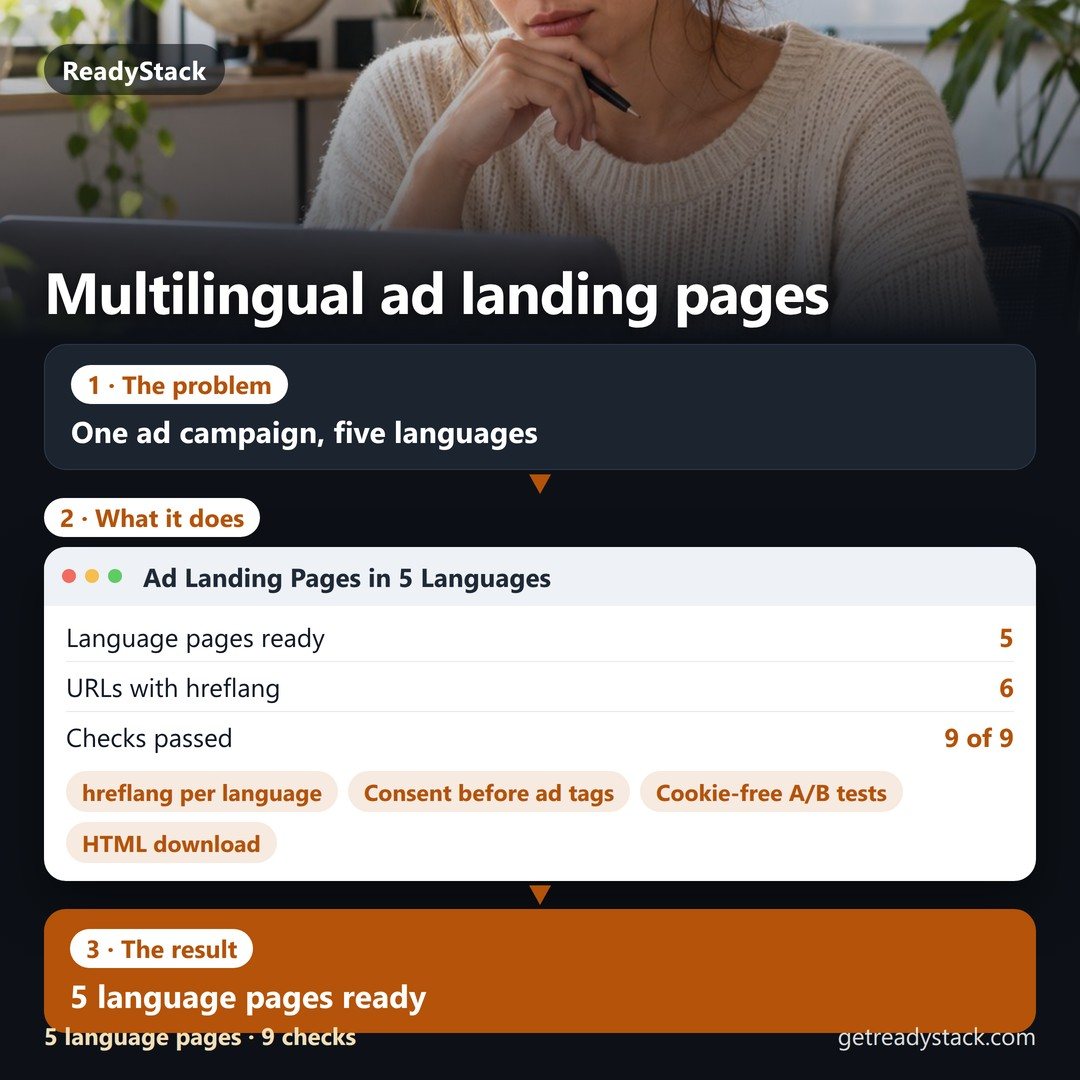
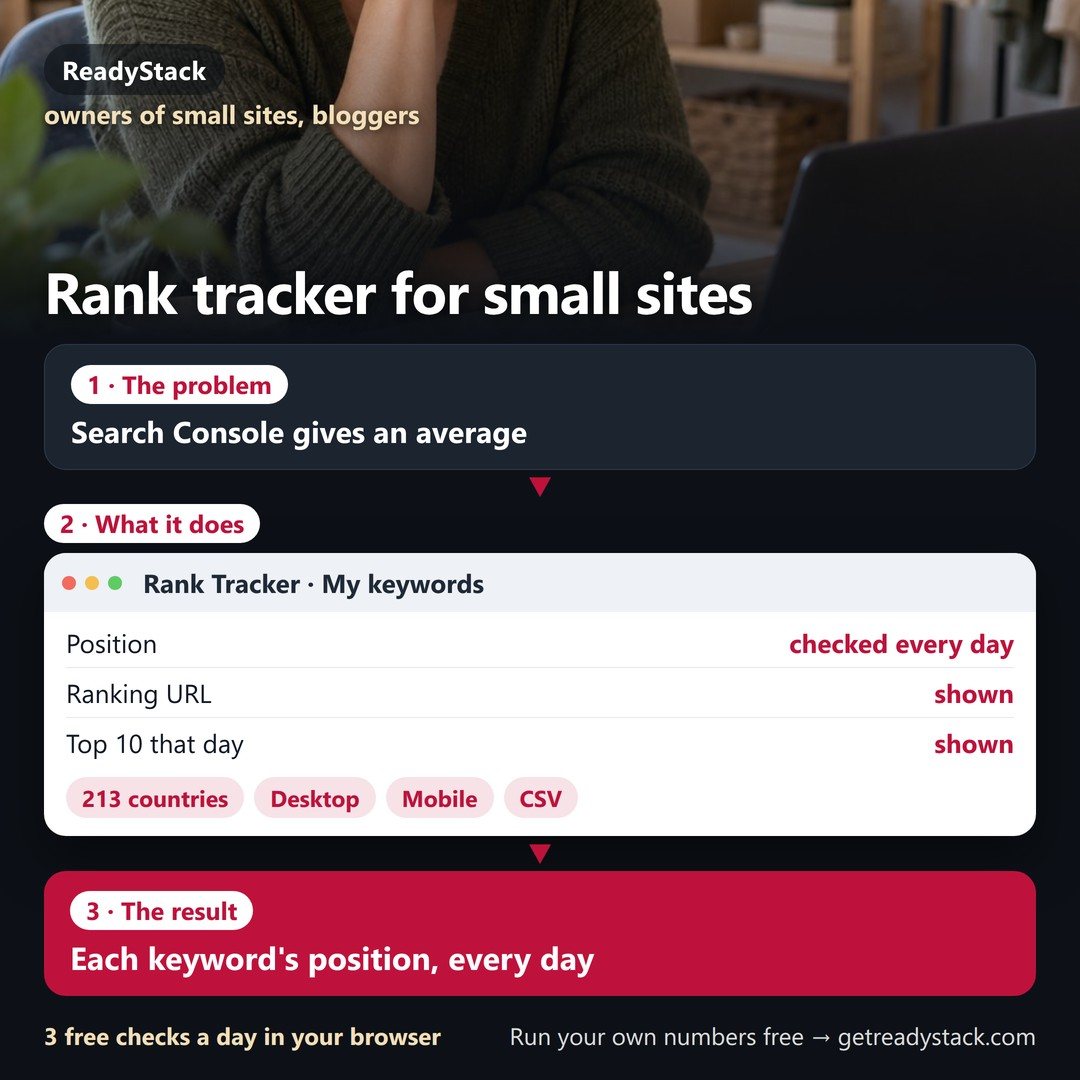
AI ads manager — weekly ads check: pause, cut, hold and scaleAd Landing Pages in 5 Languages5 language pages readyFree versionAI ads manager — weekly ads check: pause, cut, hold and scaleRank Tracker for small sitesEach keyword's position, every dayFree versionAI ads manager — weekly ads check: pause, cut, hold and scaleshopify meta pixel checkerSee which Meta pixel your Shopify store really loads and if Purchase reaches itFree versionAI ads manager — weekly ads check: pause, cut, hold and scaleGoogle Ads audit tool for exported reportsEvery finding with its rows and the exact fixFree version
People like you also use
Everything for Developers and compliance teams → · LinkedIn outreach tools · automation scripts · Python · Muse AI prompts · ReadyStack Pass — every tool in one subscription · All tools →

Questions and answers

What does this page do?

Paste last week's Google Ads and Meta Ads Manager campaign exports.

Is it free?

Yes. The free version on this page works without an account. The full version costs $19 / month.

How do I use it?

1. Put your own numbers into the free version below — no sign-up. 2. Your result shows up right here, as you type. 3. Want to keep it, print it or do it again next time? That is what the full version adds — see "What you get".

Ask about this tool

One question, answered by the person who built it. Your email only if you want the answer sent.

Privacy: your e-mail is used only to send you the answer. A question appears on this page only after it is answered, without your e-mail.

For a team or company: for an invoice with your company details, a quote or several licences, write to support@getreadystack.com.

Who is behind this page

ReadyStack is a small team. We build each tool for one job people keep asking about, from the rules and sources named on the page, and we run it on the worked example you see here before it goes live.

How we check our pages: each rule names its source and the day we read it.

Something looks wrong, or you are stuck? Write to support@getreadystack.com or use the contact form. It goes to our own inbox, not to a bot.

About ReadyStack

Your next step

More in Marketing, leads & ads See all →