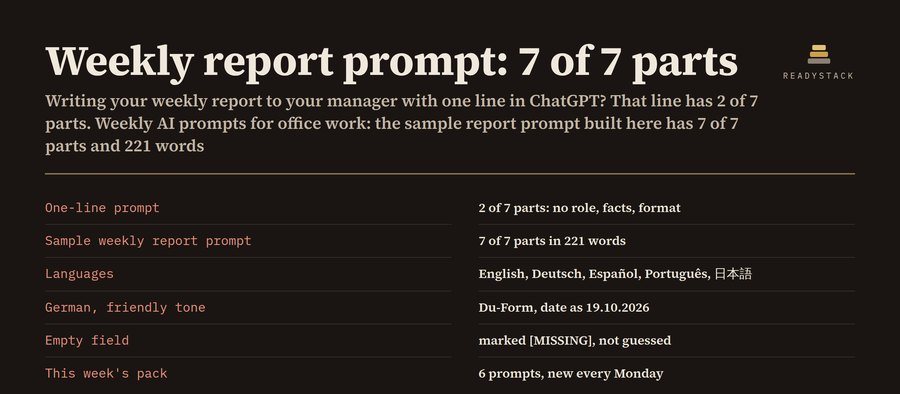
Put in your own facts, pick the language, and copy a prompt that tells ChatGPT, Claude, Gemini or Copilot who to be, what to write, in what format, and not to make anything up. Weekly AI prompts for office work in English, German, Spanish, Portuguese and Japanese.
Six office prompts each week: plan, email, meeting, document, spreadsheet, report.
Put your own numbers into the free version below — no sign-up.
Your result shows up right here, as you type.
Want to keep it, print it or do it again next time? That is what the full version adds — see "What you get".
What you get: Weekly board: plan, done, numbers, next week, blockers, one week per page, history kept · Friday: weekly report prompt filled from the board · Monday: open items carried over · All 30 prompts on any day, your job, company and tone remembered
Renewal and cancellation: the 1-year subscription renews automatically every 12 months at $39 until you cancel. Cancel any time before the renewal date in your Whop account (Profile → Orders → Cancel membership); you keep access until the end of the year you paid for and are not charged again.
Six office prompts each week: plan, email, meeting, document, spreadsheet, report. Put in your own facts, pick the language, and copy a prompt that tells ChatGPT, Claude, Gemini or Copilot who to be, what to write, in what format, and not to make anything up.
This week's pack
This week's prompts free
Prompt
Pro: all 30 prompts any day, a weekly board that writes your Friday report prompt from what you logged and carries open items into Monday's plan, saved prompts, all 5 languages in one copy, Markdown, CSV and JSON export, and a calendar file with 2 weekly reminders. $39 per year or $5.99 per month.
Check a prompt you already use free
Paste any prompt in any of the 5 languages. It shows which of the 7 parts it has.
All 30 prompts
This week's 6 open for everyone. The pack changes every Monday and goes through all 30 in 5 weeks. Pro opens every prompt on any day.
Pro: your weekly board
Log what you did during the week. On Friday the weekly report prompt is already filled in. On Monday, last week's open items move into the plan.
Weekly board: plan, done, numbers, next week, blockers, one week per page, history kept
Friday: weekly report prompt filled from the board · Monday: open items carried over
All 30 prompts on any day, your job, company and tone remembered
Saved prompts with a note and "worked / did not work"
One copy in all 5 languages for teams in several countries
Markdown, CSV and JSON export, JSON import, calendar file with Monday 09:00 and Friday 15:00 reminders
Any chat AI that takes text: ChatGPT, Claude, Gemini, Microsoft Copilot. The prompt is plain text in 7 headed parts, so you paste it as it is.
Where are my facts stored?
In this browser only. Nothing is sent anywhere. Pro keeps your board and saved prompts in this browser's storage; export a JSON backup to move them.
What changes between the languages?
The whole prompt is written in that language, plus the office habits of that country: Sie or du in German, usted or tú in Spanish, keigo levels in Japanese, local date formats, and the formula separators of Excel in that language.
Questions and answers
What does this page do?
Fill in your facts and copy a 7-part prompt for ChatGPT, Claude, Gemini or Copilot.
Is it free?
Yes. The free version on this page works without an account. The full version ($39 per year) adds: Weekly board: plan, done, numbers, next week, blockers, one week per page, history kept · Friday: weekly report prompt filled from the board · Monday: open items carried over · All 30 prompts on any day, your job, company and tone remembered
How do I use it?
1. Put your own numbers into the free version below — no sign-up. 2. Your result shows up right here, as you type. 3. Want to keep it, print it or do it again next time? That is what the full version adds — see "What you get".
Ask about this tool
One question, answered by the person who built it. Your email only if you want the answer sent.
For a team or company: for an invoice with your company details, a quote or several licences, write to support@getreadystack.com.
Who is behind this page
ReadyStack is a small team. We build each tool for one job people keep asking about, from the rules and sources named on the page, and we run it on the worked example you see here before it goes live.