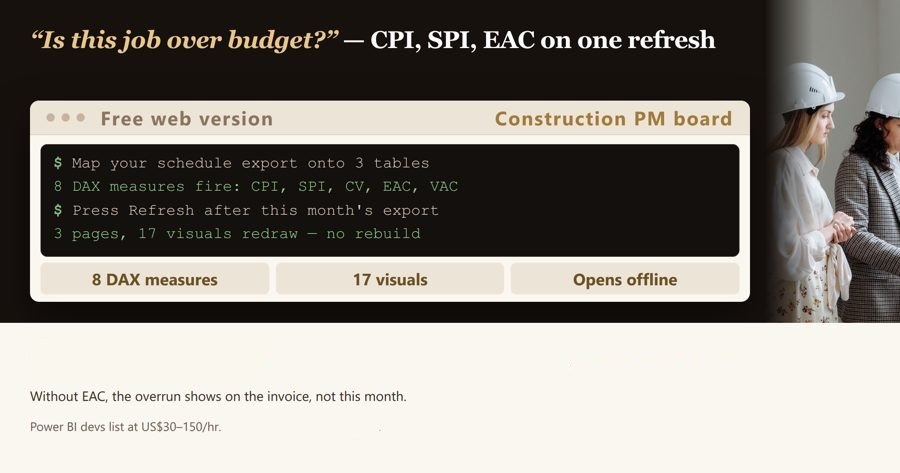
Your team already pays $14 per user/month for Power BI Pro (Microsoft list price effective 1 April 2025) and it still opens on an empty canvas. Point this at your cost report, your P6/MS Project export and your RFI register, hit Refresh, and read CPI, SPI, Forecast at Completion, worst float and overdue RFIs on three pages.
Measures included (DAX) (8)
Cost Performance Index(Table: Cost Ledger)
DAX: DIVIDE(SUM('Cost Ledger'[Earned Value]), SUM('Cost Ledger'[Actual Cost to Date]))
Uses: 'Cost Ledger'[Earned Value], 'Cost Ledger'[Actual Cost to Date]
Cost Control — Earned Value — Visuals (6): Cost Performance Index, Schedule Performance Index, Forecast at Completion, Uncommitted Budget by Cost Code, Forecast at Completion by Period End Date, Project Name
Programme — Float & Slippage — Visuals (6): Average Finish Variance Days, Worst Float Days, Average Finish Variance Days by Activity Name, Total Float Days by Activity Name, Slippage Register — Baseline Finish vs Forecast Finish, Project Name
RFIs, Submittals & Cost Impact — Visuals (6): Overdue Items, Exposure from Open Items, Overdue Items by Item Type, Exposure from Open Items by Item Type, Open Register — Reference, Raised, Response Due, Project Name
Get the complete version $69
This page is the working piece. The full pack has everything below.
Your team already pays $14 per user/month for Power BI Pro (Microsoft list price effective 1 April 2025) and it still opens on an empty canvas. Point this at your cost report, your P6/MS Pro
Microsoft's published list price is $14 per user/month for Power BI Pro and $24 per user/month for Premium Per User, both effective 1 April 2025. The licence is already bought — what is missing is the model that sits on it. This t
A copy of what you see above, in your inbox — the tool stays free, nothing here is locked.
Questions and answers
What does this page do?
Your team already pays $14 per user/month for Power BI Pro (Microsoft list price effective 1 April 2025) and it still opens on an empty canvas.
Is it free?
The preview on this page is free. The full version ($69) adds: This page is the working piece.
How do I use it?
1. Look at the preview of the file below. 2. Pay once and download the file right away. 3. Open it and fill in your own details.
Ask about this tool
One question, answered by the person who built it. Your email only if you want the answer sent.
For a team or company: for an invoice with your company details, a quote or several licences, write to support@getreadystack.com.
Who is behind this page
ReadyStack is a small team. We build each tool for one job people keep asking about, from the rules and sources named on the page, and we run it on the worked example you see here before it goes live.